Use Test after each small change. Choose your mountain, set a start on the surface you built, and check the approach as well as the feature itself.
An empty or separate guide course may start away from your hand-built terrain. Set custom start puts the rider directly on the surface you click.
Examples use a local copy of GARI FRESH ↗, with its custom textures and props. Open your practice copy →
Set up a run.
| Tool or control | Use it for |
|---|---|
| Mountain / Reference target | Choose the map to ride. Reference riding needs a loaded, available reference. |
| Free ride / Race / Showoff | Use Free ride for quick checks; Race and Showoff exercise the course’s run rules. |
| Snowboard / Skis | Choose the equipment used for the test. |
| Standard / Goofy | Choose the rider’s stance. |
| Set custom start | Click a point on the terrain or a prop surface to start there. |
| Reset start | Return the start to the course’s default position. |
| Avatar / riding style | Choose an available rider model and animation style. |
| Sound settings | Adjust the test’s game volume, music and announcer. |
| AI riders / Watch the AI | Set an AI rider count above zero, then observe their route through the course. |
| Play in VR | Available when the device and browser support the required VR session. |
Ride controls.
| Tool or control | Use it for |
|---|---|
| CarveA / D | Steer on the snow; in the air the same keys spin. |
| Tuck / brakeW / S | Manage speed on the approach. |
| OllieSpace | Jump; hold to charge the ollie. |
| BoostShift | Use the available boost. |
| RespawnR | Return to the current start for another attempt. |
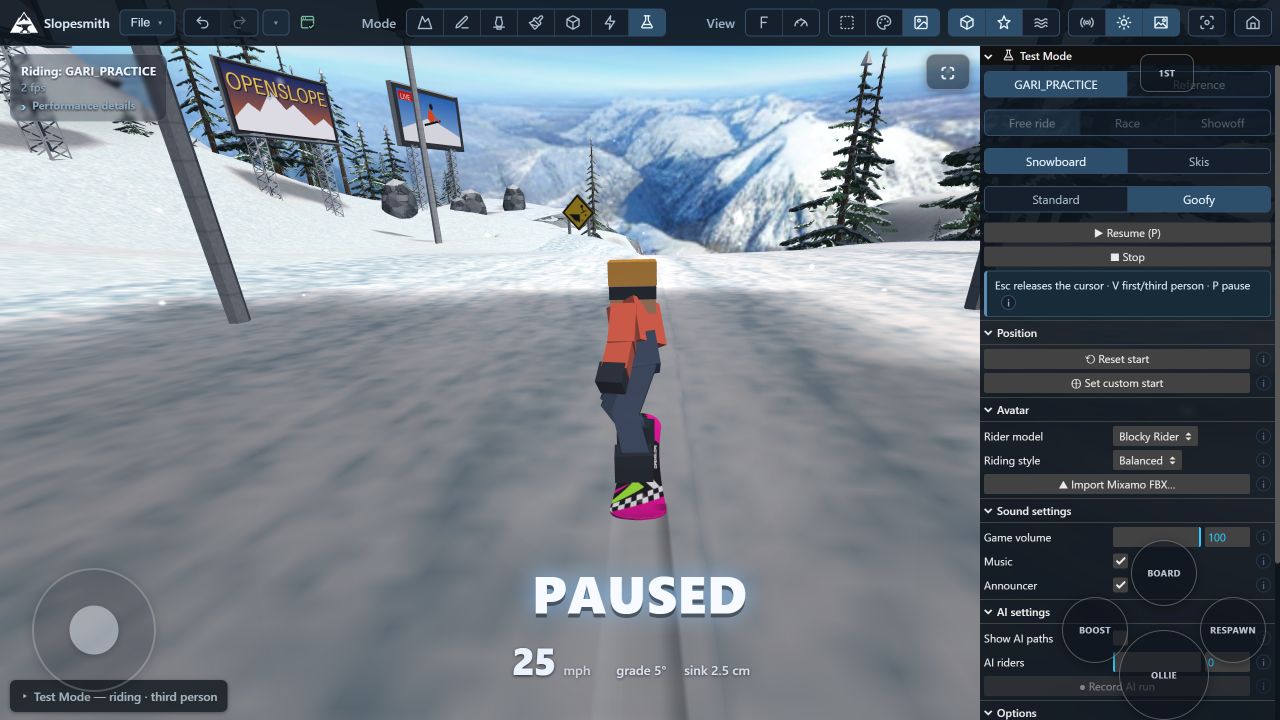
| Pause / resumeP | Stop time to inspect the ride, then continue. |
| First / third personV | Switch the rider camera. |
| Release cursorEsc | Leave captured look controls so you can use the panel. |
| Stop | End the ride and return to editing. |
| Ride HUD | Read speed, grade, air/ground contact and the active run’s information. |
Worked examples.
Example 01
Ride the edited start area
- Choose your local GARI FRESH copy → Free ride. Use Reset start for the map’s original start.
- Play and steer through the start area with A / D. Check the snow, scenery clearance and the approach to your edit.
- Use P to pause, R to repeat and Stop to return to editing. Set custom start is useful for testing a feature farther down the mountain.
Example 02
Keep your version and its assets
- Wait for Saved in this browser.
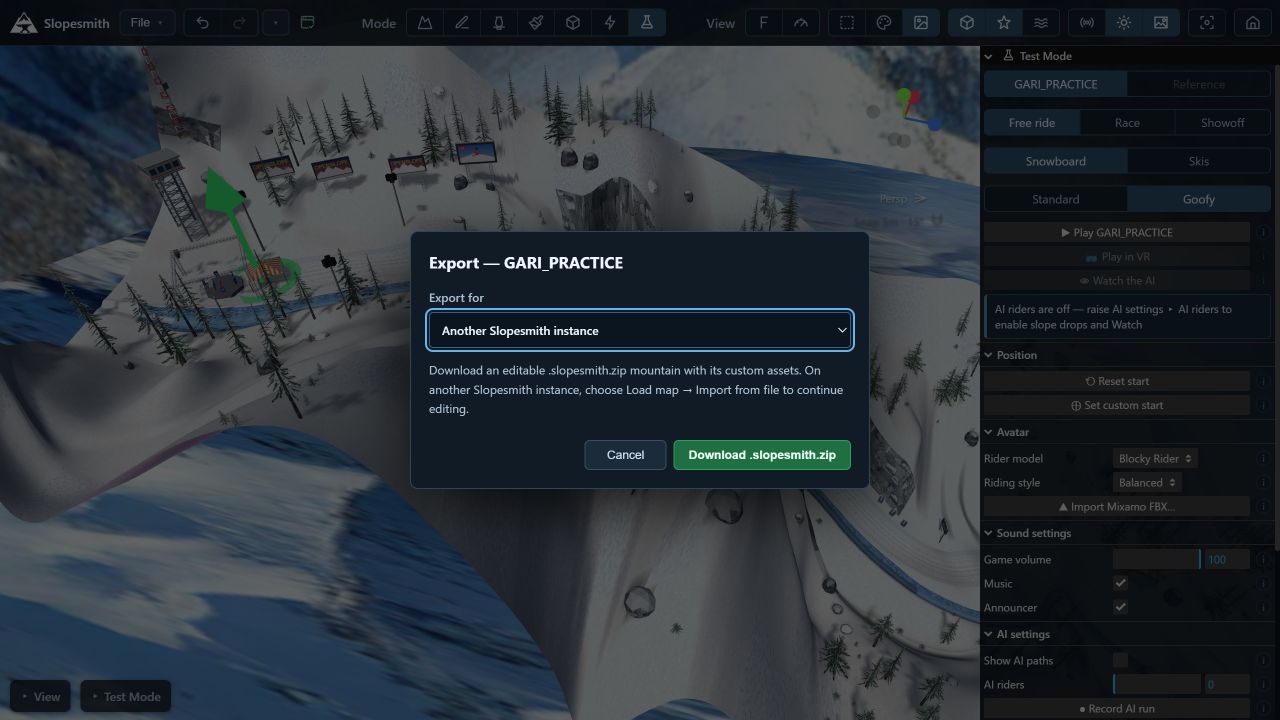
- Use File → Export… → Another Slopesmith instance.
- Download a fresh .slopesmith.zip. Import it through Library → Load map → Import from file to continue editing later.