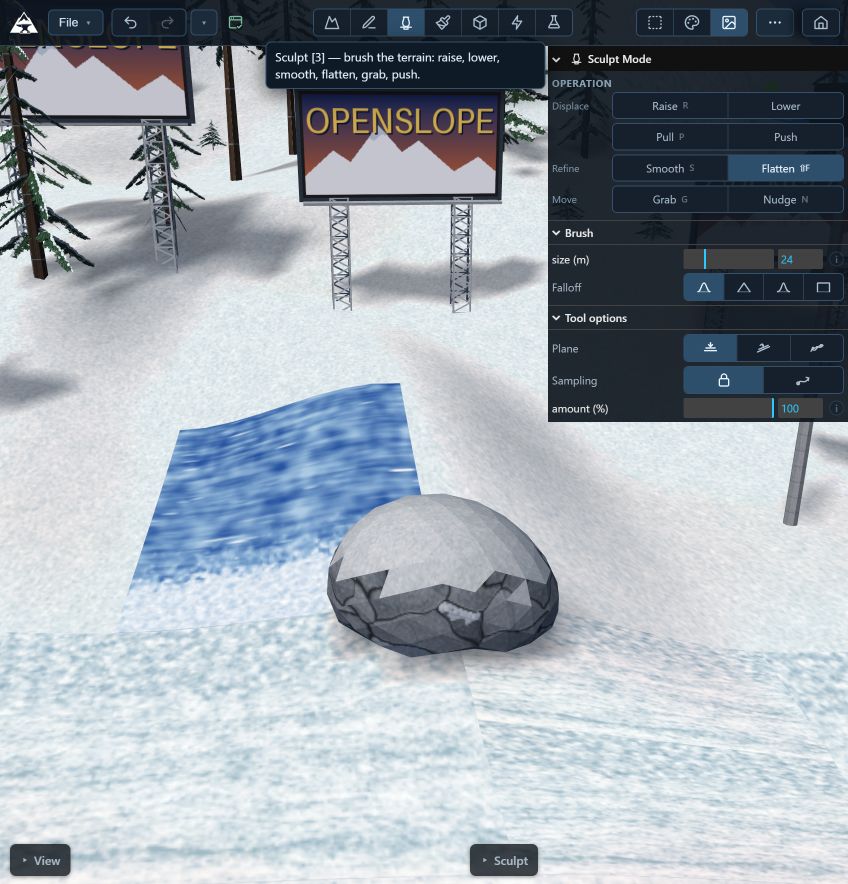
Move over terrain to see the green brush ring. Make short left-mouse strokes and inspect from another angle. Sculpt works on existing surfaces; create your first patches in Edit.
Size is the brush radius in metres. A broad footprint and a small displacement step are useful starting points for gentle terrain.
Examples use a local copy of GARI FRESH ↗, with its custom textures and props. Open your practice copy →
Choose a brush.
| Tool or control | Use it for |
|---|---|
| RaiseR | Move terrain vertically upward. Build a roller or a low bank. |
| LowerCtrl+R | Move terrain vertically downward. Reduce a high spot or open a shallow channel. |
| PullP | Move terrain outward along its surface normals. Build a snow pillow or wall. |
| PushCtrl+P | Move terrain inward along its surface normals. Dent or recess a face. |
| SmoothS | Relax the terrain’s shape and authored curve detail. |
| FlattenShift+F | Move the brush footprint toward a chosen plane. |
| GrabG | Pick up one footprint and drag it in the view plane. |
| NudgeN | Continuously shift terrain along the surface as the stroke moves. |
Brush settings.
| Tool or control | Use it for |
|---|---|
| Size[ / ] | Set the footprint radius. Resize with brackets or Shift+scroll. |
| Falloff | Smooth gives a soft bell; Linear fades evenly; Sharp concentrates the centre; Constant keeps a hard edge. |
| Step | Choose how many metres each Raise, Lower, Pull or Push dab moves the terrain. |
| Amount | Set the strength of Smooth, Flatten or Nudge as a percentage. |
| Flatten plane | World-height makes a horizontal shelf. Surface-tangent follows the hit face. Area-average estimates a plane across the footprint. |
| Locked / follow-stroke plane | Locked keeps the plane sampled on press; Follow resamples as the stroke moves. |
| Invert / temporary smooth | Hold Ctrl to invert Raise/Lower or Pull/Push. Hold Shift at the start of a stroke to smooth. |
Worked examples.
Example 01
Raise a mound, then soften its shoulder
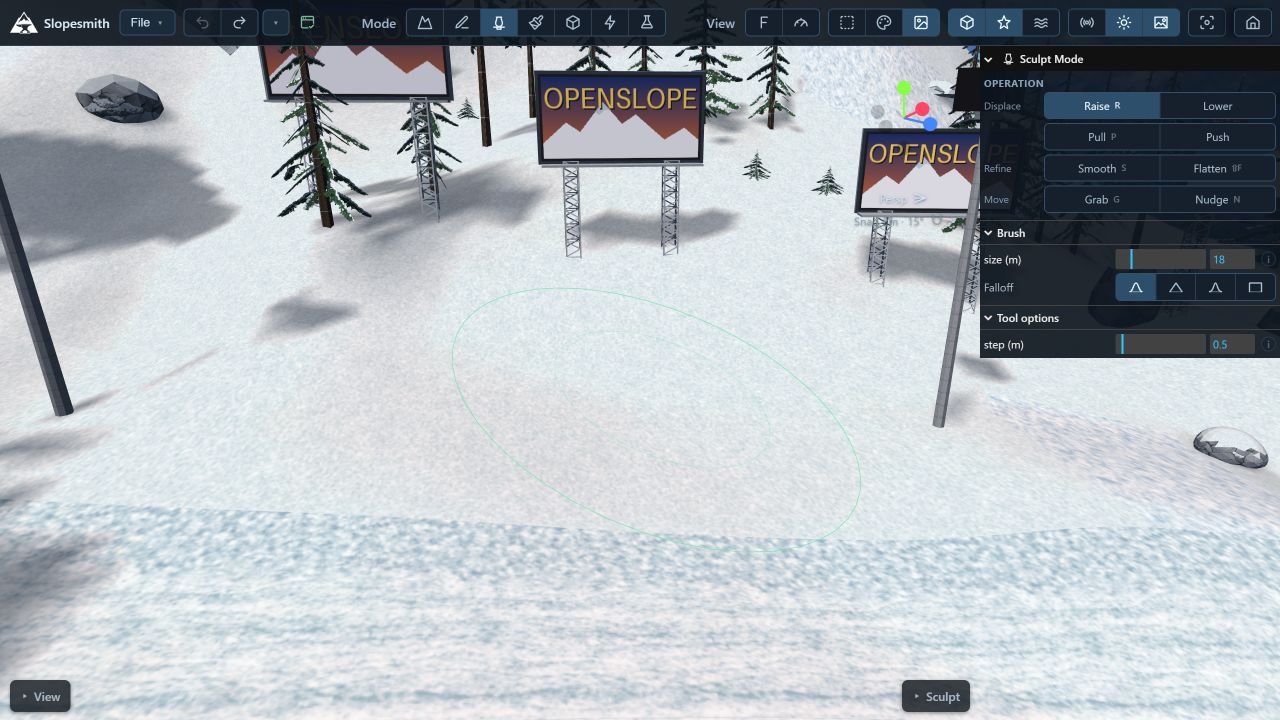
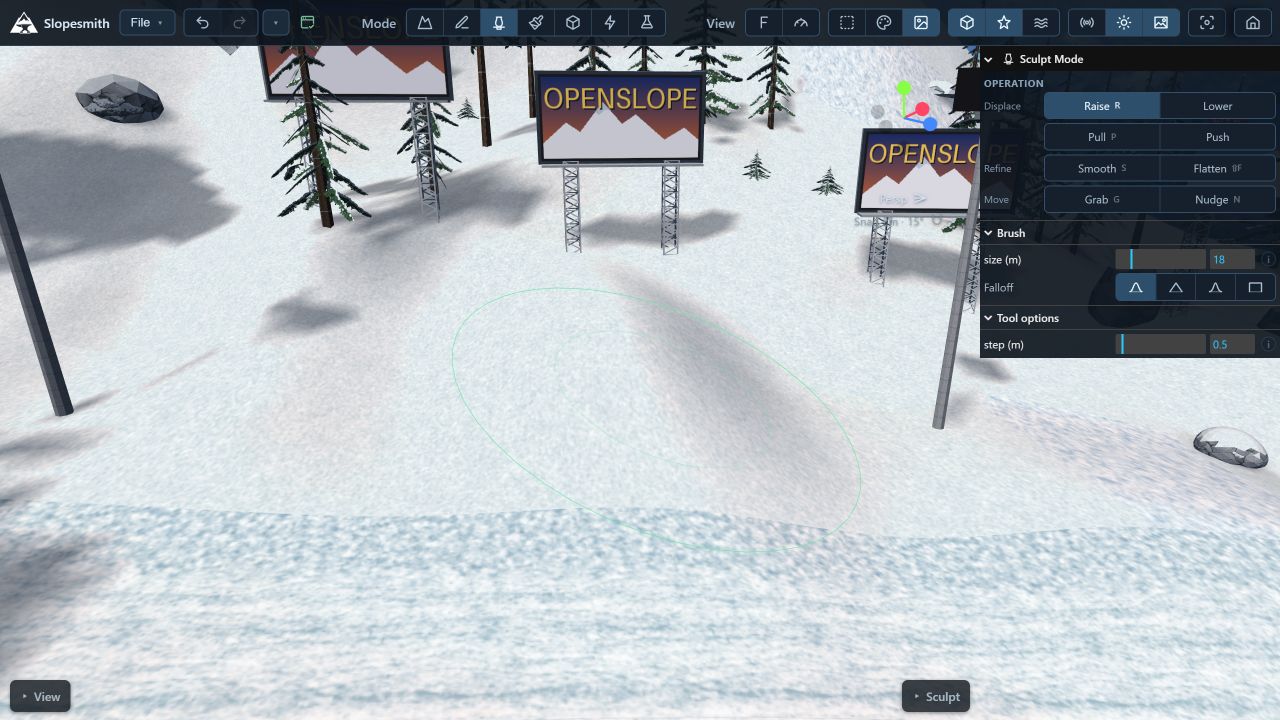
- Near the start bench, orbit down to see the snow beside the groomed strip in profile. Choose Raise, size 18 m, step 0.5 m and Smooth falloff.
- Make short dabs on open snow until a low mound is easy to see. Keep the riding line clear.
- Choose Smooth, amount 25%, and make one light pass over the mound. Compare the crest and shoulder before repeating.
Before
Raised
Smoothed
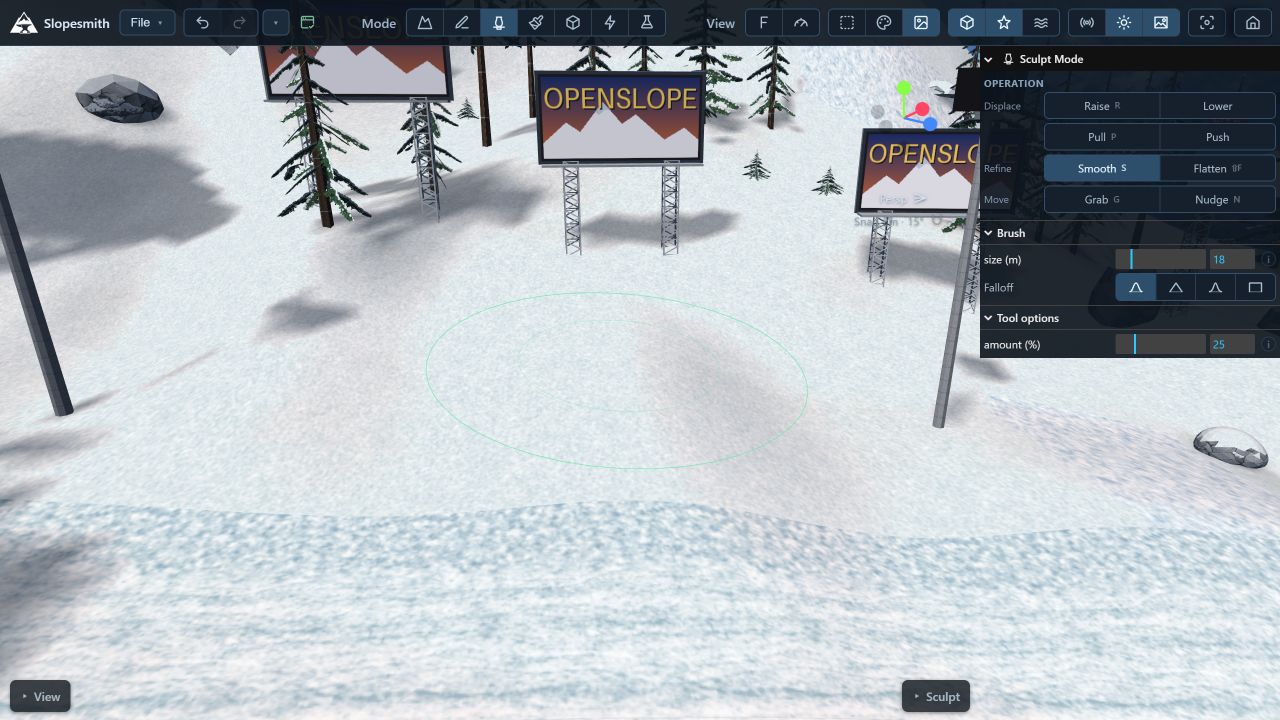
What changed: Look at the crest above the groomed strip: Raise lifts it; Smooth lowers and softens the abrupt shoulder.
Example 02
Try a small level shelf
- Choose Flatten, size 24 m, World-height plane and Locked sampling.
- Start with amount 25% and make a short stroke on open snow. The screenshot shows a stronger 100% setting for inspection.
- Orbit low to check the shelf’s exit. Undo or smooth a sharp join before riding it.