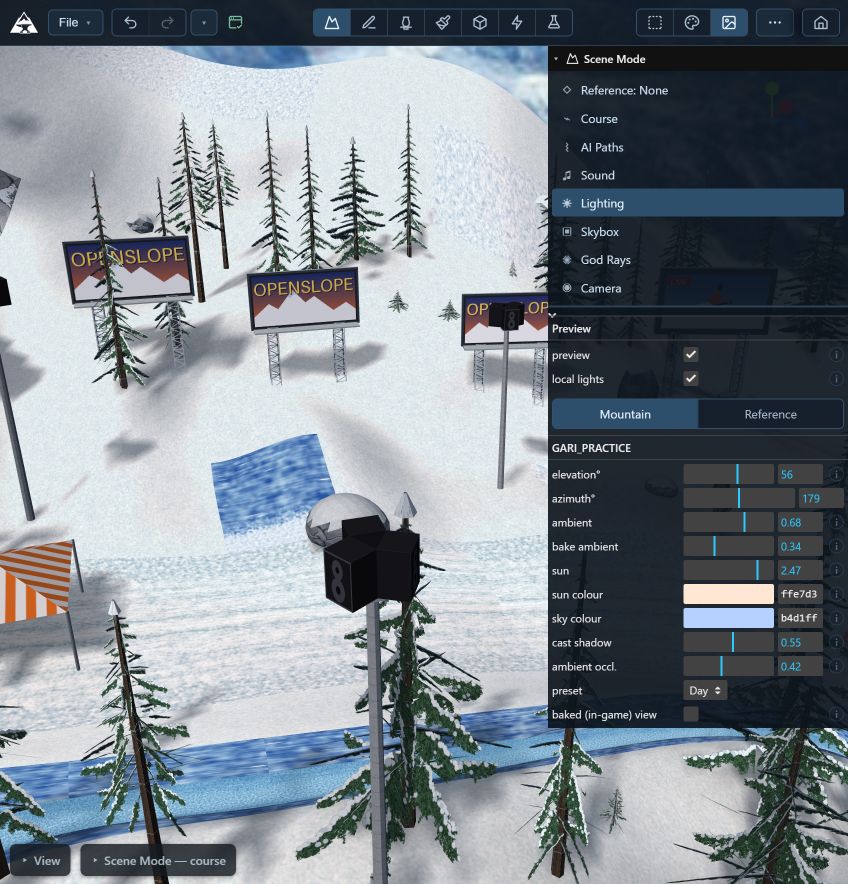
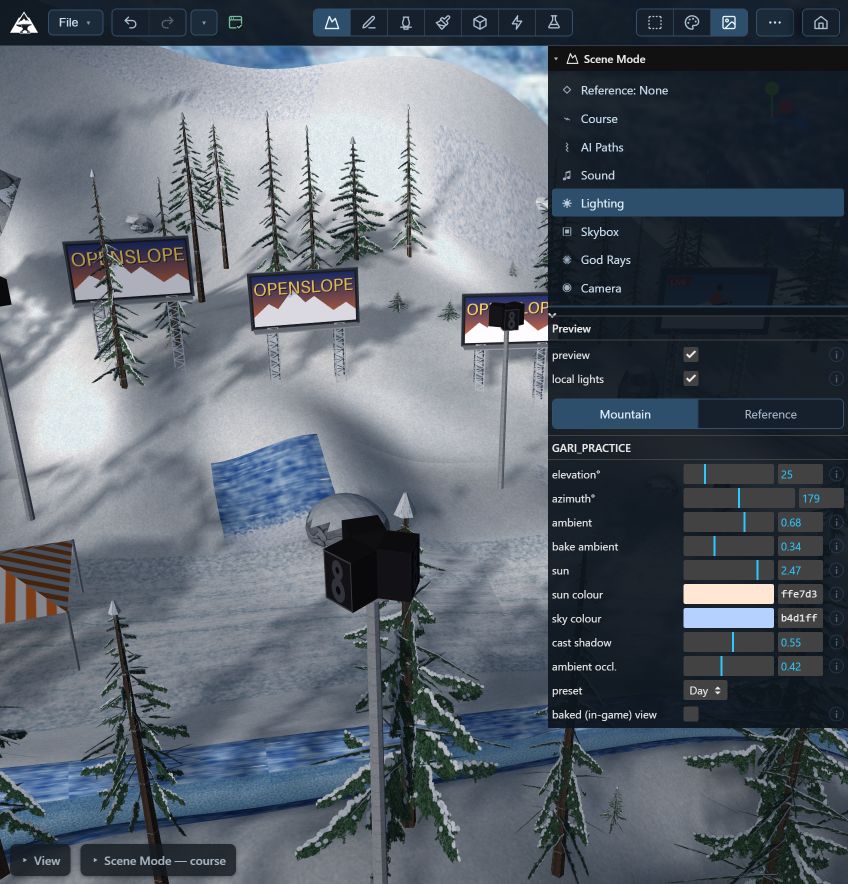
Use Scene for the course, reference maps, lighting, sky, sound and camera. Choose a category in the right panel, then Mountain or Reference where available.
The course is a route through your terrain. Moving its points changes the route; shape the snow with Edit or Sculpt.
Examples use a local copy of GARI FRESH ↗, with its custom textures and props. Open your practice copy →
Route & reference.
| Tool or control | Use it for |
|---|---|
| Reference | Load an available reference map for comparison. Its source stays read-only. |
| Course | Show the route and select its green knots. Drag a knot to reposition it. |
| Reset course | Click a new start, intermediate points and finish on the terrain; finish with Enter. |
| Selected knot | Adjust a point’s position, floor width and checkpoint time bonus. |
| Start / finish flags | Drag the flags to stage the race along the course line. |
| Laps / showoff clock | Set the race’s lap count and the starting Showoff time in seconds. |
| Base ride feel | Choose the default ride material for unpainted terrain. |
| AI Paths | Inspect derived or authored rider routes and their points. |
| Course / AI / normals overlays | Show route guides, AI lines or the pink backs of surfaces. |
Light, sky & sound.
| Tool or control | Use it for |
|---|---|
| Lighting | Enable Preview, then tune the sun’s elevation, azimuth, strength and colour. |
| Ambient / bake ambient | Control sky fill and the terrain bake’s shadow floor. |
| Local lights | Include the lights placed in Props in the Lighting preview. |
| Skybox | Choose and configure the mountain’s backdrop from available sky assets. |
| God Rays | Configure the sun-ray effect; inspect it from the rider’s approach. |
| Sound | Set race music, environment sound, board sound and rider cues. Preview before riding. |
| Camera | Inspect or set the editor camera’s position, projection and field of view. |
Worked examples.
Example 01
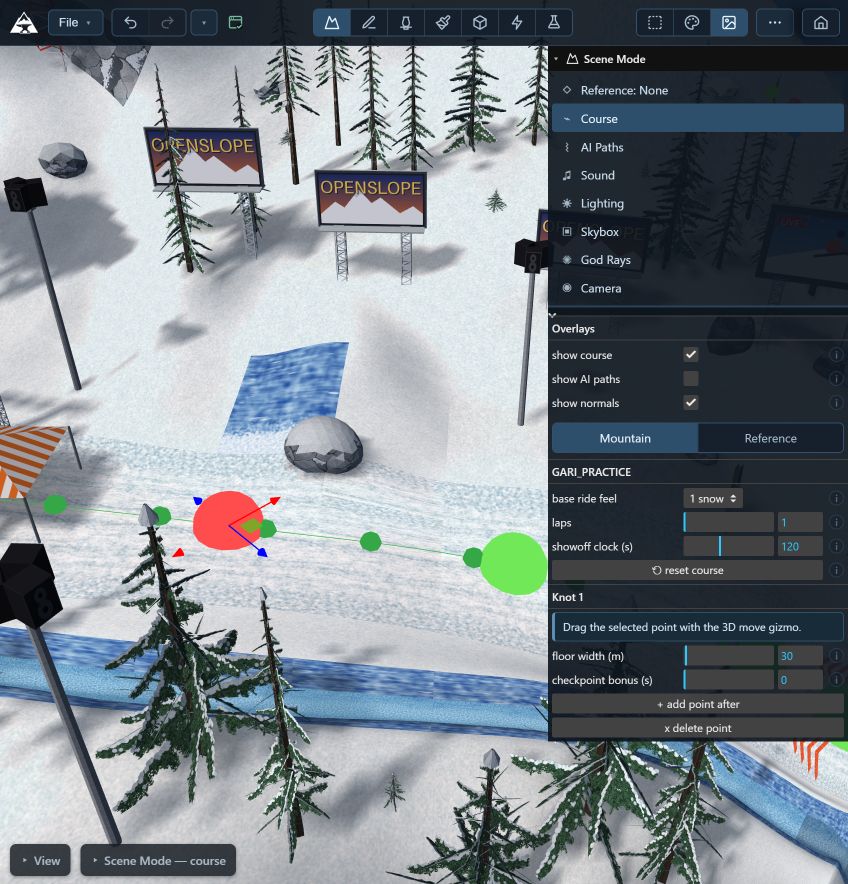
Adjust the existing course band
- Open Scene → Course, enable Show course and orbit to an isometric view of the start area.
- Select a large green knot. Try floor width 30 m and compare the route with the groomed snow.
- Keep the route on the riding surface, then use Test to check the approach.
Example 02
Try a lower sun
- Open Lighting → Mountain and enable Preview.
- Try elevation° 25 and compare the shadows around the start bench and gorge.
- Restore the original value when finished, or keep your preferred light in your local copy.